From sign-up to your first published week
Six steps. Most of them you do only once.
- 1
Create your account
Open an account for your business. You are its administrator.
- Sign up with e-mail, Google or Apple
- Add your business details and your first venue
14 days of Professional free, no card. Then the Free plan, with no time limit: up to 10 people, you included, at one venue.
- 2
Invite your team
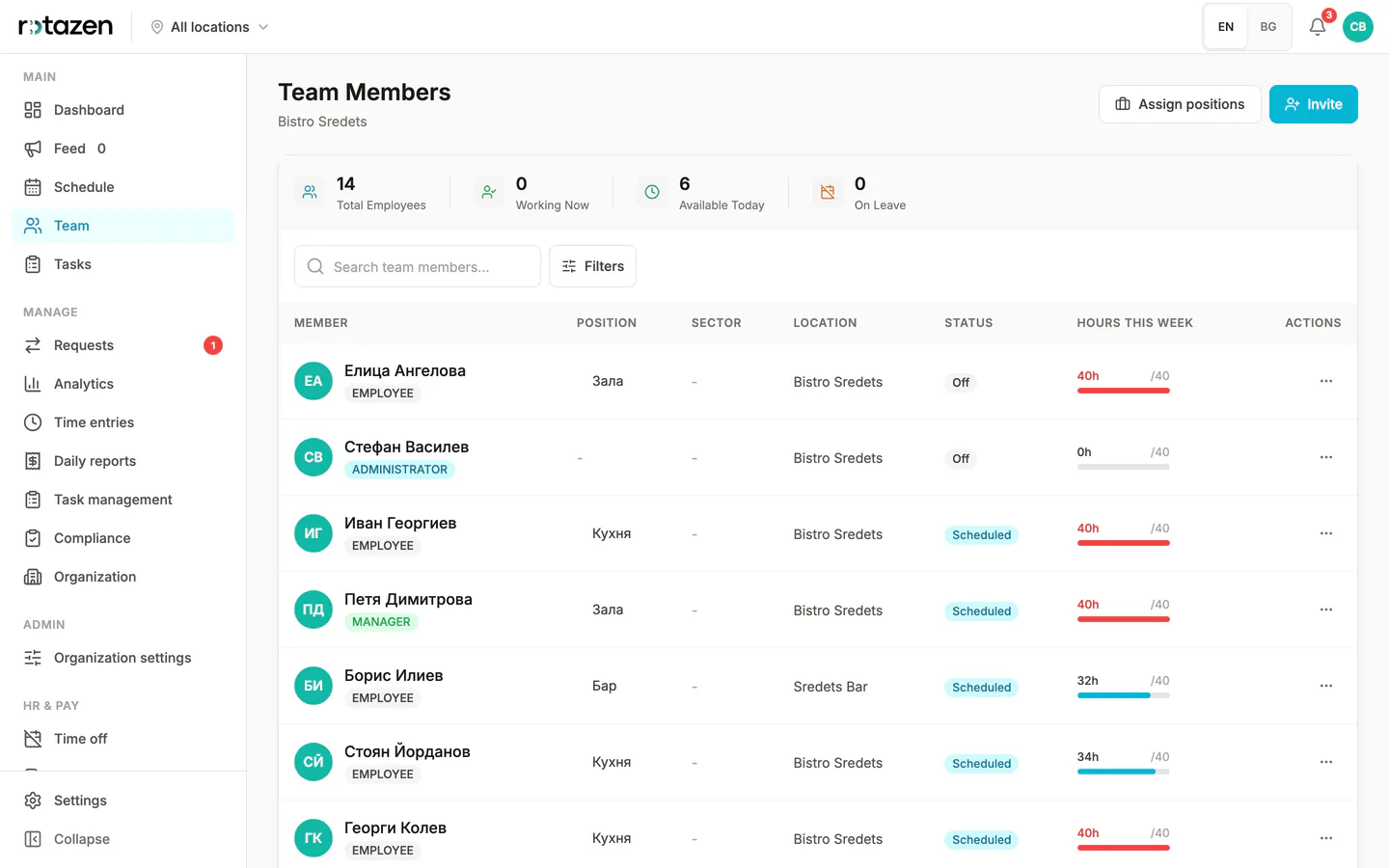
Send each person a link, a QR code or an e-mail invite. They sign in with Google, Apple or a code.
- Give each person a position and a venue
- Choose who manages and who works the shifts
- 3
Set up your shifts
Included from the Starter plan upSave your usual shifts as templates, with the times and how many people each day needs.
- A template for each kind of shift: morning, evening, bar
- How many people you need on each day of the week
- You reuse them every week
- 4
Build the first week
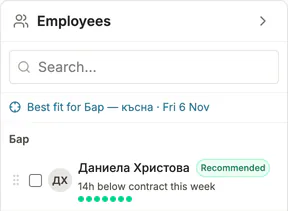
Assign shifts by hand, with Rotazen sorting people by how well they fit, or let auto-scheduling draft the week for you to check.
- The week stays a draft until you publish it
- Import the rota you have now from Excel
- Auto-scheduling: a full draft rota in secondsIncluded from the Starter plan up
- 5
Publish it
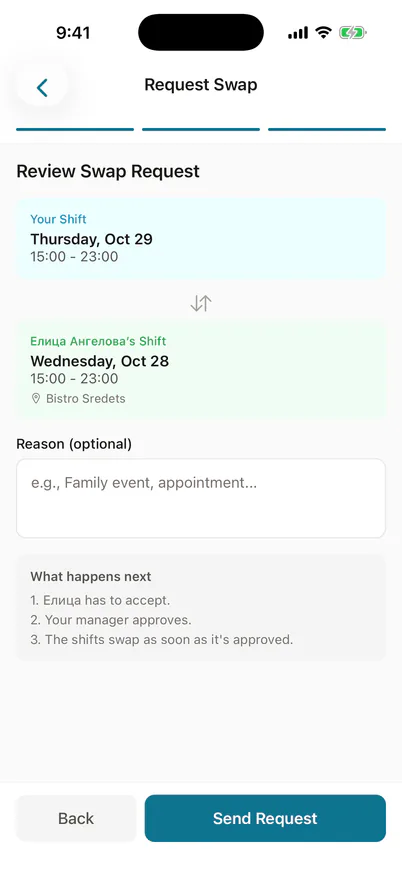
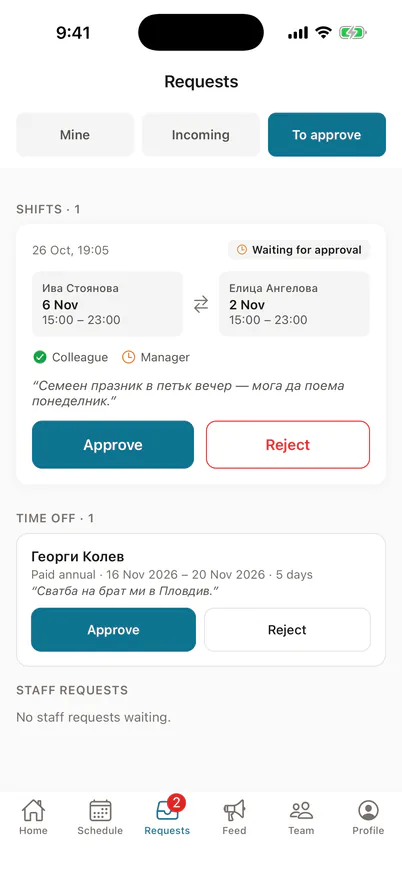
Everyone on the rota sees their week in the app on iPhone or Android. Requests come to you instead of to the Viber group.
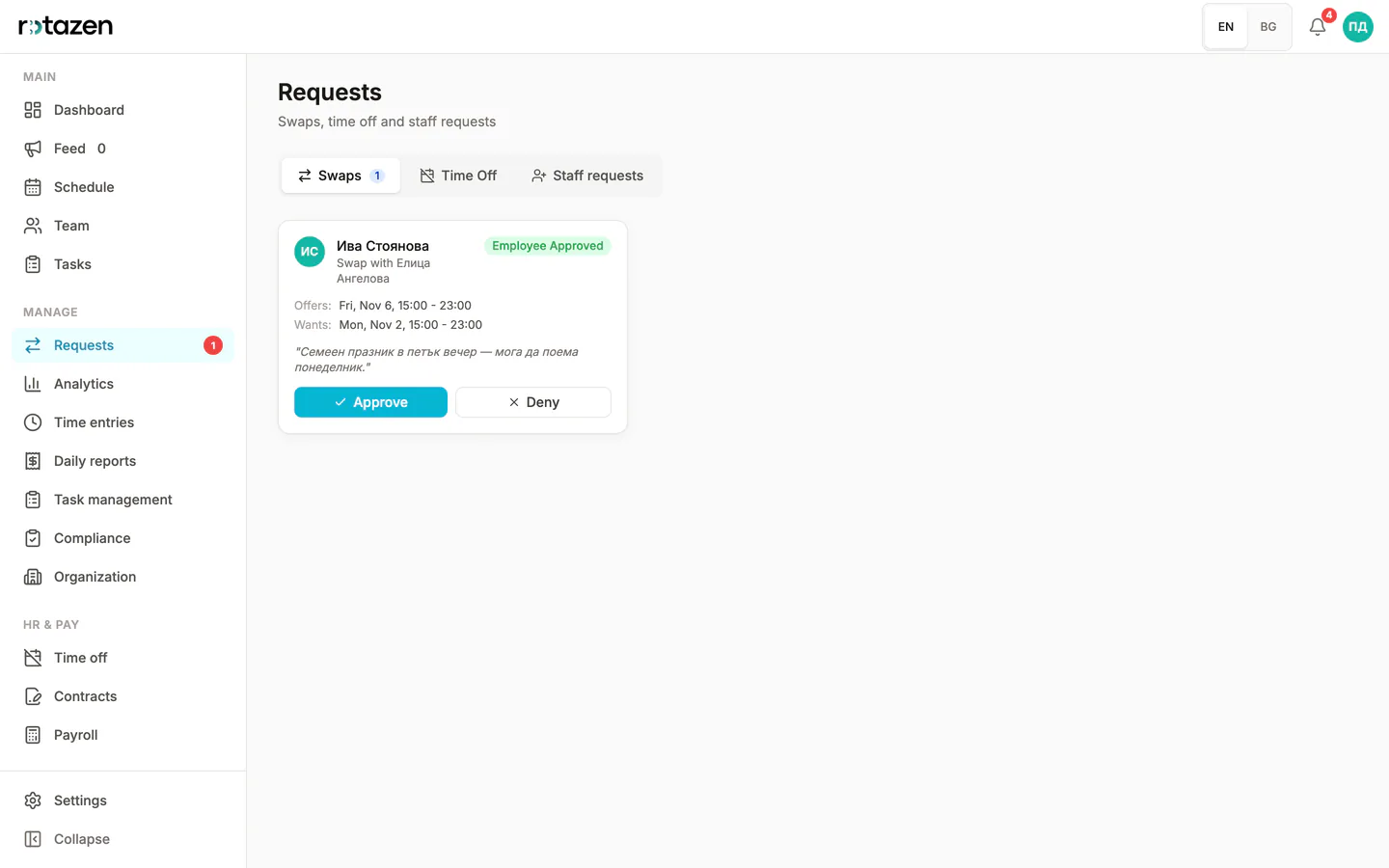
- Staff ask for a swap or for leave in the app
- They mark the days they can't work
- You approve on the phone or on the web
- 6
Switch on the warnings you want
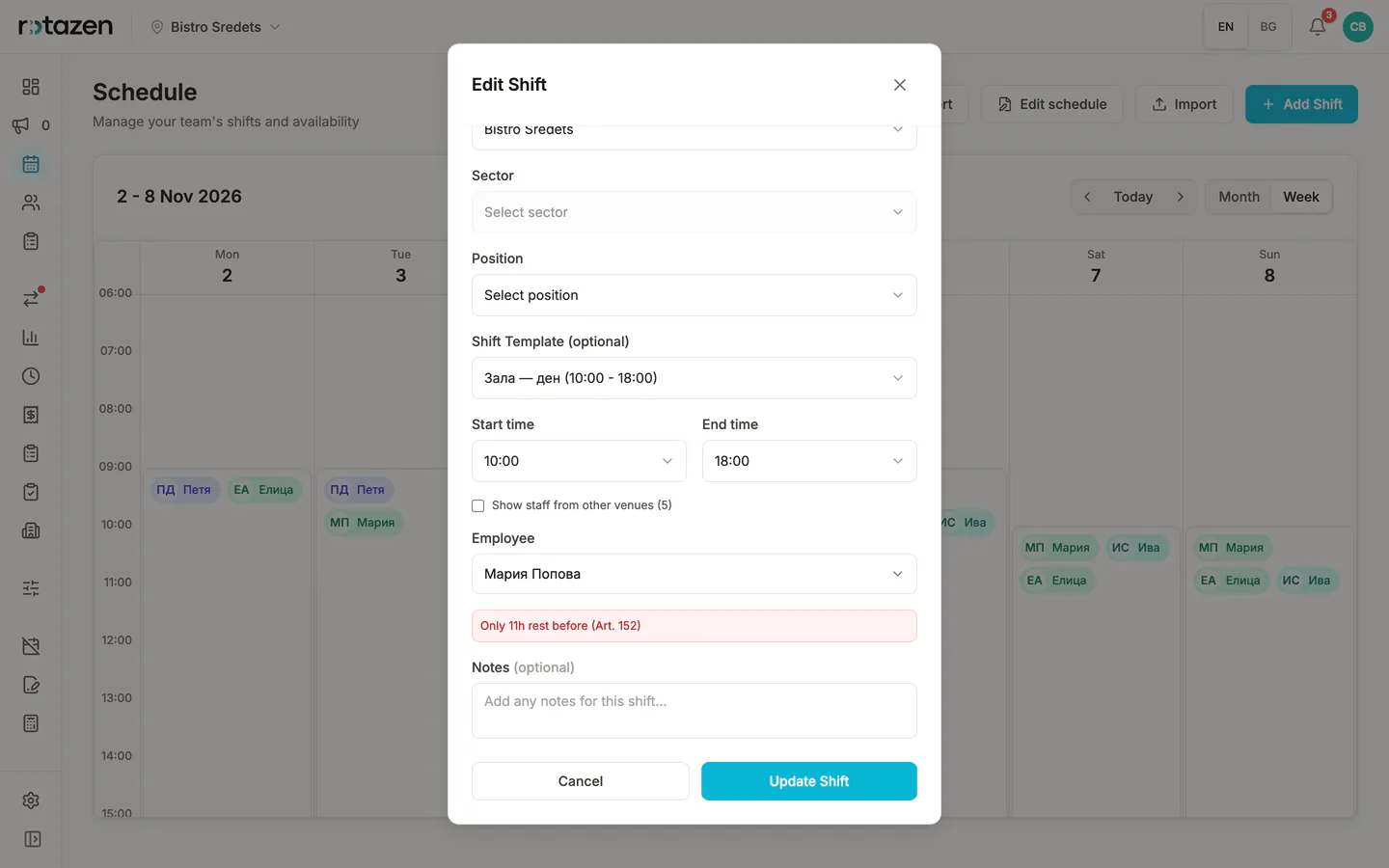
Included from the Starter plan upFour checks from the Кодекс на труда (the Bulgarian Labour Code). In your account each one starts switched off.
- Over 40 hours a week · чл. 136, ал. 1 КТ
- Under 12 hours between shifts · чл. 152 КТ
- Night hours, 22:00–06:00 · чл. 140 КТ · auto-scheduling and suggestions only
- Work on an official holiday · чл. 264 КТ
You can still save. A warning doesn't stop the shift.
Optional, and off until an administrator turns them on (Starter plan and above). A warning never stops a shift being saved. The checks don't cover everything the Кодекс на труда requires: weekly rest, breaks during the working day and the overtime book are not among them. Not legal advice. The rota remains the employer's responsibility.


After that, it's the same every week
Build the rota, publish it, and the team sees it on their phones.
Before: a spreadsheet, sticky notes and ‘who’s on tomorrow?’ in the chat
After: one rota the team sees on their phones
Set up your first week
14 days of Professional free, no card. Then the Free plan, with no time limit: up to 10 people, you included, at one venue.